
Most AI agents stall because they can't reach the systems where the work actually happens. In an HFS Research survey published November 10, 2026, only about one in four enterprise agentic AI initiatives made it into production, and leaders named integration as the top factor behind the ones that succeeded (50%). The model is rarely the bottleneck. The gap between your ERP, accounting, CRM, inbox and spreadsheets is. Connect those systems first, with scoped access and audit history, and AI has something to work on.
Key facts
| Fact | Figure | Source |
|---|---|---|
| Enterprise agentic AI initiatives that reach production (average) | 26% | HFS Research with Netomi, Nov 10, 2026 (100 enterprises, $1B+ revenue) |
| Top enabler of production success named by leaders | Integration, 50% | HFS Research, Nov 10, 2026 |
| Share of agentic AI spend tied up in stalled work | 43% | HFS Research, Nov 10, 2026 |
| Respondents whose on-premises software delayed, shrank, paused or canceled AI or other tech initiatives | 49% | Google Cloud with Hypothesis Group, Nov 9, 2026 (1,250 U.S. decision-makers; vendor-published) |
| Average apps per enterprise vs. share integrated | 957 apps; 27% integrated | Salesforce/MuleSoft 2026 Connectivity Benchmark (1,050 IT leaders; vendor-published) |
| IT leaders who say agents may add more complexity than value without proper integration | 86% | Salesforce/MuleSoft 2026 Connectivity Benchmark |
Frequently asked questions
Why do most AI agent projects fail to reach production?
In HFS Research's November 2026 survey of 100 large enterprises, only 26% of agentic AI initiatives reached production on average. Pilots run on clean, curated inputs, while production depends on reaching real, disconnected systems. Leaders named integration as the top enabler of success (50%), and governance and risk controls as a major barrier (46%).
What are data silos? Can you give an example?
A data silo is information trapped in one system that other systems and people can't easily use. A common example is an order that arrives by email, gets retyped into an ERP, and then re-entered into an accounting system, with a spreadsheet tracking status in between. Each step is a silo boundary a person has to cross by hand.
Do I need to replace my ERP to use AI agents?
Usually not. Most companies can open a governed path into existing systems using APIs, database access, scheduled imports and exports, or a new API layer in front of older software. Replacing core systems adds migration time, retraining costs and new gaps. Connect what works first.
What's the difference between an API and an integration?
An API is a documented way for software to let other software read or write data. An integration is the designed connection that uses it: which data moves, in which direction, under what rules, how failures are handled, and who is notified. Having an API doesn't mean two systems are integrated.
How do you give an AI agent safe access to business systems?
Give each system its own least-privilege credential scoped to the records the job needs, require named human approval for high-risk writes, log every read, write and exception, and design the agent to stop and raise an exception instead of guessing when data is missing or ambiguous.
Where should a small business start with integration?
Start with one repetitive process that touches two or three systems, such as order intake or invoice entry. Map what's read and written in each system, price the manual time with a tool like ViviScape's free Manual Work Tax calculator, then connect that one process before adding AI or more tools.
Why do AI agent projects stall before production?
Because a pilot and a production system live in different worlds. A pilot runs on clean, hand-picked inputs. Production runs on your real inbox, your real ERP, and the spreadsheet someone built in 2019 because two tools never talked to each other.
HFS Research put numbers on that gap earlier this month. Across 100 enterprises with more than $1 billion in revenue, just 26% of agentic AI initiatives moved into production on average, and 43% of agentic AI spend was tied up in stalled work. More than half (53%) said the road from proof of concept to production took longer than planned. One retail leader in the study summed it up: "What worked on curated inputs failed badly on real customer chaos."
When HFS asked what actually drives success, integration came first, at 50%. Not a better model. Not a bigger budget. The plumbing.
Gartner warned about this in 2025, when it predicted that over 40% of agentic AI projects would be canceled by the end of 2027. In the same release it noted that "integrating agents into legacy systems can be technically complex, often disrupting workflows and requiring costly modifications." Nearly a year and a half later, the surveys say the same thing in a louder voice.
What is "the space between systems"?
It's the work nobody's software is responsible for.
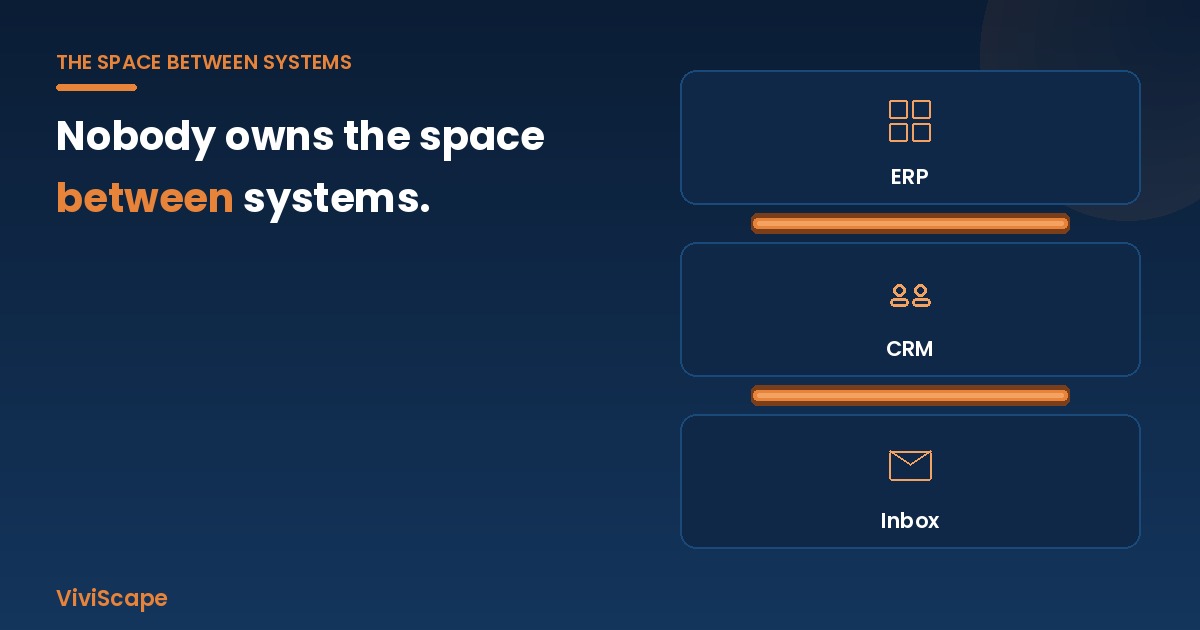
Your ERP owns the ledger. Your CRM owns the pipeline. Your inbox owns the requests. Each one is good at its own job, and none of them owns what happens in the gaps. So a person does it: reads the email, finds the customer, retypes the order, checks the price, chases the exception, and updates two other systems so the numbers agree.
That's the line we use on our Connect page, and it's the most important idea in this article. The gap isn't a software problem you can buy your way out of by replacing a platform. It is the work. And it's the exact work everyone now expects AI agents to take over.
Here's what usually lives in that space:
- Retyping. Data entered once in one system and re-entered by hand in another.
- Reconciling. Comparing two systems to work out which one is wrong this week.
- Spreadsheet middleware. The workbook that only exists because two tools don't talk.
- Status chasing. Opening four tabs to answer one customer question.
- Report assembly. Exporting from three places on Monday to build Tuesday's number.
If any of that sounds like your Tuesday, you're paying what we call the Manual Work Tax. Re-keying between systems is one of its biggest line items.
Why can't an AI agent just work around disconnected systems?
Because an agent can only act on what it can reach. Without a governed path into your systems, an AI can summarize a request. It can't complete it.
Take an ordinary order that arrives by email. To finish the job, an agent has to read the request, match the customer against CRM and ERP records, understand the parts, quantities and terms, write the order into the system of record, validate stock, credit and pricing, and flag anything outside the rules for a named person to approve. At least three of those steps require read and write access to systems that, in most companies, don't share data with each other today.
The enterprise data shows how common that is. In the 2026 Salesforce/MuleSoft Connectivity Benchmark, the average organization ran 957 applications, and only 27% of them were integrated. Eighty-six percent of IT leaders agreed that without proper integration, agents can add more complexity than value. Those are vendor-published, enterprise-scale numbers, but the pattern holds at any size. A 40-person distributor with QuickBooks, a shared mailbox and an industry ERP has the same gaps, just fewer of them.
Do I have to replace my ERP or accounting system to use AI?
No. And for most growing companies, you shouldn't.
Google Cloud's survey of 1,250 U.S. IT and business decision-makers, published November 9, 2026, found that 49% said relying on on-premises software had delayed, shrunk, paused or canceled AI or other technology initiatives. It's tempting to read that as "rip it all out." But replacement brings its own bill: a migration measured in quarters, retraining, and a new set of gaps on the other side.
The better question is: can we open a safe, auditable path in and out of the systems that already work? Usually you can, including for software without an API. Options include:
- A documented API, used properly, with retries and reconciliation.
- Direct database reads or staging tables for legacy systems.
- Scheduled exports and imports or file drops where that's all a system supports.
- A new API layer in front of old software, so it can join modern workflows without being rewritten.
What matters is a governed path, not a particular protocol. Newer standards such as the Model Context Protocol (MCP) make it easier for AI tools to discover and use those paths. We've written about how APIs, MCPs and CLIs differ, if you want the technical version.
What's the difference between an API and an integration?
An API is a door: a documented way for software to let other software in. An integration is the work of walking through that door on purpose. It decides which records move, in which direction, under which rules, what happens when something fails, and who gets told.
Two systems can both have excellent APIs and still not be integrated. That's why "it has an API" doesn't answer the question "can an agent do this job?" For a plain-language primer, see Understanding APIs and why they matter.
How do you connect your systems safely before giving AI access?
Treat integration as the first AI project, not a side task. Here's a practical sequence that works for a 30-person company or a 3,000-person one.
- Pick one painful process. Choose one with a clear start and finish, such as order intake, invoice entry or dispatch updates. Don't start with "AI strategy."
- Map every system it touches. List each system, what is read, what is written, and who does it today. Most single processes touch two or three systems.
- Price the gap. Count the hours, errors and delays that live between those systems. Our free Manual Work Tax calculator gives you a number to beat.
- Scope access to the job. Give each system its own least-privilege credential that covers only the records and operations the work needs.
- Decide where a human signs off. Set thresholds for which writes need a named approver before they land.
- Log everything. Record every read, write, exception and approval: who, what, when, and which system.
- Fail safe. When a system is down or a record is ambiguous, the agent should stop and raise an exception instead of guessing.
- Reuse what you built. Once one process is connected, the next one starts with connections already in place.
Governance belongs in that sequence, not after it. HFS found governance, compliance and risk controls were a production barrier for 46% of the enterprises it surveyed. Building approvals and audit into the integration itself is how you clear that barrier instead of stalling at it.
What this means for SMB and enterprise leaders
If you run a growing business: You don't need 957 apps to have this problem. You need two that don't talk and one person who keeps them in sync. Start there. One connected process beats a dozen AI subscriptions that each see a slice of your business.
If you run IT at an enterprise: The production gap is an integration gap with a governance gap attached. Track the share of AI initiatives that reach production and the share of spend stuck in pilots, as HFS recommends. Then fund the connective layer on purpose.
For everyone: Stop asking "which AI should we buy?" first. Ask "what can our AI actually reach, and under whose rules?"
How ViviScape approaches it
This is the work we do. ViviScape Connect is the integration layer that links the software you already run (Microsoft 365, Sage, QuickBooks, ERP, CRM, TMS, email, APIs, legacy databases, and your own applications) so AI agents can do the work that happens between them. It leaves your systems of record where they are, uses scoped least-privilege access, routes high-risk writes to a named approver, and logs every action in audit history.
When a gap needs new software rather than a connection, we build custom software designed to be run by agents. When the connection is in place, our AI Workforce agents can do the work that lives in the gap. Integrations can be a standalone project or part of a larger build. ViviScape Work is our separate operations platform, and you don't need it to use Connect.
Two free next steps
- Price your gap: run the Manual Work Tax calculator.
- Talk it through: book a free project conversation and bring the one process that keeps your team retyping.
Sources
- HFS Research (in partnership with Netomi), "The agentic AI production gap: Five learnings enterprises can take to close it," Nov 10, 2026. https://www.hfsresearch.com/research/ai-production-gap-five-learnings/
- Google Cloud (with Hypothesis Group), "New survey finds enterprises trapped between legacy software and AI modernization," Nov 9, 2026 (vendor-published). https://cloud.google.com/blog/products/ai-machine-learning/new-survey-finds-enterprises-trapped-between-legacy-software-and-ai-modernization
- Salesforce, "Salesforce Announces 2026 Connectivity Report" (MuleSoft Connectivity Benchmark, 1,050 IT leaders, fielded Oct–Nov 2025; vendor-published). https://www.salesforce.com/news/stories/connectivity-report-announcement-2026/
- Gartner, "Gartner Predicts Over 40% of Agentic AI Projects Will Be Canceled by End of 2027," Jun 25, 2025. https://www.gartner.com/en/newsroom/press-releases/2025-06-25-gartner-predicts-over-40-percent-of-agentic-ai-projects-will-be-canceled-by-end-of-2027