
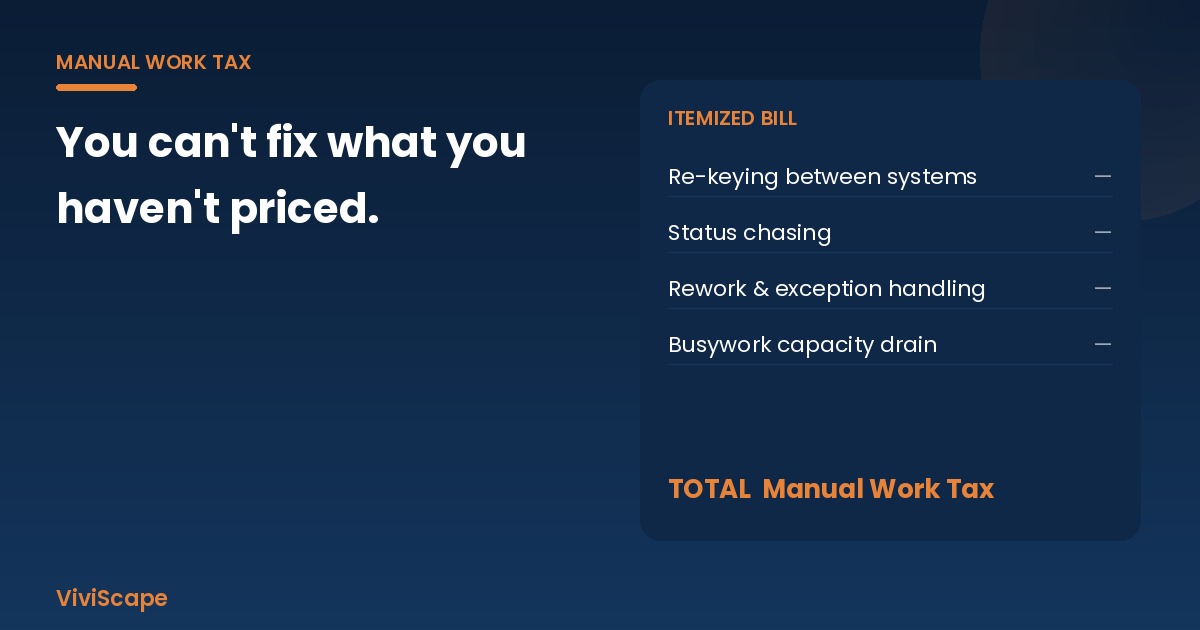
Measure automation and AI ROI by pricing the manual work before you automate, then measuring the same work afterward. Add up the hours, error and rework costs, and exception handling a workflow consumes: that's its Manual Work Tax. ROI is the tax removed, minus run costs, divided by what the automation cost to build.
Key facts
| Fact | Figure | Source |
|---|---|---|
| Organizations using AI regularly in at least one function | 88% | McKinsey, The State of AI (Nov 2025) |
| Organizations reporting any enterprise-level EBIT impact from AI | 39% | McKinsey, The State of AI (Nov 2025) |
| GenAI pilots stalling with little or no measurable P&L impact | ~95% (preliminary, not peer-reviewed) | MIT NANDA GenAI Divide, via Fortune (Aug 2025) |
| Agentic AI projects Gartner predicts will be canceled by end of 2027 | Over 40%, citing costs, unclear business value, or weak risk controls | Gartner (Jun 2025) |
| Share of knowledge workers' time spent on busywork | 55% (vendor research) | Asana, State of AI at Work 2025 |
| ROI formula | (Annual benefit − annual run cost) ÷ implementation cost | Standard method; see below |
Frequently asked questions
How do you measure AI ROI?
Baseline the cost of the work AI will touch (hours, error and rework rate, cycle time) before you start. Implement against one named workflow, then compare the same metrics 30 to 90 days after go-live. Convert hours and avoided errors to dollars with a loaded labor rate. A tool demo is not a baseline.
What is a simple automation ROI formula?
(Annual benefit − annual operating cost) ÷ implementation cost. Annual benefit is hours removed × loaded hourly cost, plus rework and error costs avoided, plus any revenue a faster cycle time unlocks. Run it for year one and for three years, and calculate payback in months.
What is the Manual Work Tax?
It is the annual cost of work your team still does by hand that a system should own: re-keying data between systems, chasing status, fixing entry mistakes, and handling exceptions a designed workflow would catch. ViviScape's free calculator estimates it from five inputs.
Why do most AI projects fail to show a return?
Mostly because value was never defined or measured, and the workflow wasn't redesigned. McKinsey (Nov 2025) found only 39% of organizations report enterprise-level EBIT impact from AI, and Gartner expects unclear business value to help drive over 40% of agentic AI projects to cancellation by 2027.
Should we automate before we measure?
No. Automating without a baseline makes success impossible to prove and leaves the budget exposed at the next review. Measure the Manual Work Tax on one painful workflow, automate the repeatable core of it, measure again, then expand.
How do you calculate automation and AI ROI?
Most companies can tell you which AI tools they bought. Far fewer can tell you what those tools took off the books, because nobody priced the work before the tool arrived. The fix is a before-and-after method you can run on any workflow. It starts with one formula.
Annual return ratio = (Annual benefit − Annual operating cost) ÷ Implementation cost
- Annual benefit = hours removed × loaded hourly cost + rework and error costs avoided + any revenue unlocked by faster cycle time (only if you can trace it).
- Annual operating cost = what the solution costs to run each year: licenses, hosting, support, and the human time spent reviewing exceptions.
- Implementation cost = the one-time cost to build, integrate, and roll it out, including your team's time.
Then calculate two more numbers a CFO will ask for: payback period (implementation cost ÷ monthly net benefit) and three-year ROI ((3 × annual net benefit − implementation cost) ÷ implementation cost).
Every input on the benefit side comes from one baseline: what the workflow costs today. That baseline is the Manual Work Tax.
A worked example (hypothetical numbers)
Every number in this example is invented for illustration. It is not a client result, a benchmark, or a ViviScape quote.
A distributor's order-entry team of three re-keys emailed purchase orders into its ERP. So the example works at any wage rate or company size, every cost below is shown as a share of this workflow's annual Manual Work Tax: what it costs today, set to 100%.
Baseline (the Manual Work Tax for this one workflow):
| Cost line | Assumption | Share of the annual tax |
|---|---|---|
| Time | 3 people × 8 hrs/week × 48 weeks (1,152 hours) at a loaded hourly rate | 87% |
| Rework | 6,000 orders × 2% need correction × 45 min each (90 hours) at the same rate | 7% |
| Errors that reach customers | 30 per year, each needing a credit or reship | 6% |
| Total | 100% |
After automating: an automated intake reads each order and writes it into the ERP, and people review only the exceptions. Assume that removes 70% of the re-keying hours and half of the errors and rework.
| Item | Share of the annual tax |
|---|---|
| Hours benefit (70% of the 87% time line) | 60.9% |
| Error and rework benefit (50% of the 13% error and rework lines) | 6.5% |
| Annual benefit | 67.4% |
| Annual operating cost (assumed: 20% of the labor cost it replaces) | −12.2% |
| Annual net benefit | 55.2% |
| Implementation cost (assumed, one-time) | 55% |
Results: an annual return ratio of about 1.0 (it earns back roughly its full cost in year one), a payback period of about 12 months, and a three-year ROI of about 201%. Put simply, a build that costs a little over half of one year's Manual Work Tax pays back in about 12 months when it removes 70% of the manual hours. It also frees about 806 hours a year, roughly two-fifths of one full-time person, for work that needs judgment.
Two things make this example honest. First, the baseline was written down before anything was built, so the "after" numbers have something to be compared with. Second, the operating cost, including the people who review exceptions, is subtracted. Leave it out and every project looks like a winner on paper.
Put a number on your Manual Work Tax
Five inputs, a few minutes, and an annual estimate with a three-year projection you can bring to your next budget meeting.
Calculate my Manual Work TaxStep 1: Build the baseline (price the Manual Work Tax)
The Manual Work Tax is what your business pays every time a process runs on people instead of systems. It has three cost lines you can count:
- Time. Hours spent re-keying the same order, invoice, or customer record into a second or third system, chasing status, or assembling a spreadsheet that exists only because two systems don't talk to each other.
- Errors and rework. The time to find and fix mistakes, plus what it costs when one reaches a customer (a credit, a reship, a missed delivery window).
- Capacity. The work that waits, or the hire you make, because skilled people are spending their day as human middleware.
This isn't a fringe cost. Asana's 2025 State of AI at Work study found knowledge workers spend 55% of their time on busywork such as status chasing and hunting for information, rather than the skilled work they were hired for. That's vendor research, so treat it as a signal, not your number. Your number comes from your own workflows.
For each workflow you're considering, write down five things: how many people touch it, hours per person per week, a loaded hourly cost (wage plus benefits and overhead), how often it goes wrong, and what a mistake costs to fix. That's your baseline. The free Manual Work Tax calculator turns those inputs into an annual estimate with a three-year projection.
Step 2: Pick the right workflow first
Start where the tax is concentrated and the data has a clear home. Good first candidates share four traits:
- High volume. It runs daily or weekly, so small per-item savings add up.
- Heavy re-keying. The same data is typed into more than one system.
- A clear system of record. There's one place the finished data belongs (the ERP, the CRM, the billing system).
- Repeatable core, human exceptions. Most cases follow a pattern, and judgment calls can be routed to a named person.
Orders, invoices, scheduling, and status updates usually qualify. Gartner's guidance is a useful filter: use AI agents where decisions are needed, automation for routine workflows, and assistants for simple retrieval. Don't pay for an agent where a rule will do.
Be careful with "technical potential" numbers. McKinsey Global Institute estimates that today's technology could, in theory, automate about 57% of U.S. work hours. That describes what's possible, not a forecast and not your plan. Your plan is the one workflow with the biggest measured tax.
Step 3: Redesign the workflow, then automate it
McKinsey found that redesigning workflows is among the strongest factors separating AI high performers from everyone else. Bolting a tool onto a broken process makes the broken process faster. Before you automate, ask which steps exist only because systems aren't connected, and remove them rather than speed them up. Often the biggest win is an integration that moves the record automatically, with AI handling only the messy inputs (emails, PDFs, free text) that rules can't.
Step 4: Measure the same things after launch, not just "time saved"
Hours saved is the easiest metric to inflate. Measure the same five things you baselined, on the same workflow, 30 to 90 days after go-live:
- Cost per transaction (total workflow cost ÷ volume)
- Error and rework rate
- End-to-end cycle time (order received to order confirmed, for example)
- Throughput per person
- Adoption (the share of volume actually flowing through the new path)
If adoption is low, the savings are theoretical. If cycle time improves but cost per transaction doesn't, you've moved work rather than removed it. Report the delta in dollars, then decide: expand to the next workflow, fix this one, or stop. A measured stop is a good outcome, because it protects the budget for the next candidate.
Why the measurement step matters
Skipping the baseline is the most common reason AI spending is hard to defend. McKinsey's 2025 State of AI found that 88% of organizations use AI regularly in at least one function, yet only 39% report any EBIT impact at the enterprise level. The preliminary MIT NANDA GenAI Divide research, reported by Fortune in August 2025, found that about 95% of generative AI pilots stall with little or no measurable P&L impact. And Gartner predicts that over 40% of agentic AI projects will be canceled by the end of 2027 because of escalating costs, unclear business value, or inadequate risk controls.
"Unclear business value" is a measurement problem, and it's one you can solve before you spend anything. For the broader argument about why AI programs stall, see Why Most Companies Fail to See ROI from AI, The AI ROI Reckoning and the CFO's view of AI accountability. This piece is the how-to.
Turning the number into a decision
Once you know what a workflow's Manual Work Tax is, the next step usually becomes obvious. Sometimes the fix is connecting systems you already own (integration). Sometimes it's an AI agent that handles the messy inputs. Sometimes it's custom software for a process no product covers. And sometimes the tax is too small to bother with, which is worth knowing too. The order matters: price it, decide, build, measure, expand. That's the sequence on our Manual Work Tax hub: Diagnose, Automate, Measure, Expand.
Measurement won't make a weak project strong. It will tell you which projects are weak before you've paid for them, and it gives the strong ones a number Finance can defend.
Sources
- McKinsey & Company, The State of AI in 2025, Nov 5, 2025 (88% regular use; 39% enterprise EBIT impact; workflow redesign and high performers). https://www.mckinsey.com/capabilities/quantumblack/our-insights/the-state-of-ai-2025
- Fortune, "MIT report: 95% of generative AI pilots at companies are failing," Aug 18, 2025, covering MIT NANDA's GenAI Divide (preliminary, not peer-reviewed). https://fortune.com/2025/08/18/mit-report-95-percent-generative-ai-pilots-at-companies-failing-cfo/
- Gartner, "Gartner Predicts Over 40% of Agentic AI Projects Will Be Canceled by End of 2027," Jun 25, 2025 (also the agents/automation/assistants guidance). https://www.gartner.com/en/newsroom/press-releases/2025-06-25-gartner-predicts-over-40-percent-of-agentic-ai-projects-will-be-canceled-by-end-of-2027
- McKinsey Global Institute, Agents, robots, and us: Skill partnerships in the age of AI, Nov 25, 2025 (~57% of U.S. work hours technically automatable). https://www.mckinsey.com/mgi/our-research/agents-robots-and-us-skill-partnerships-in-the-age-of-ai
- Asana Work Innovation Lab, 2025 Global State of AI at Work (55% busywork; vendor research). https://assets.asana.biz/m/10543e5e3bcb38f5/original/2025-Global-State-of-AI-at-Work.pdf