
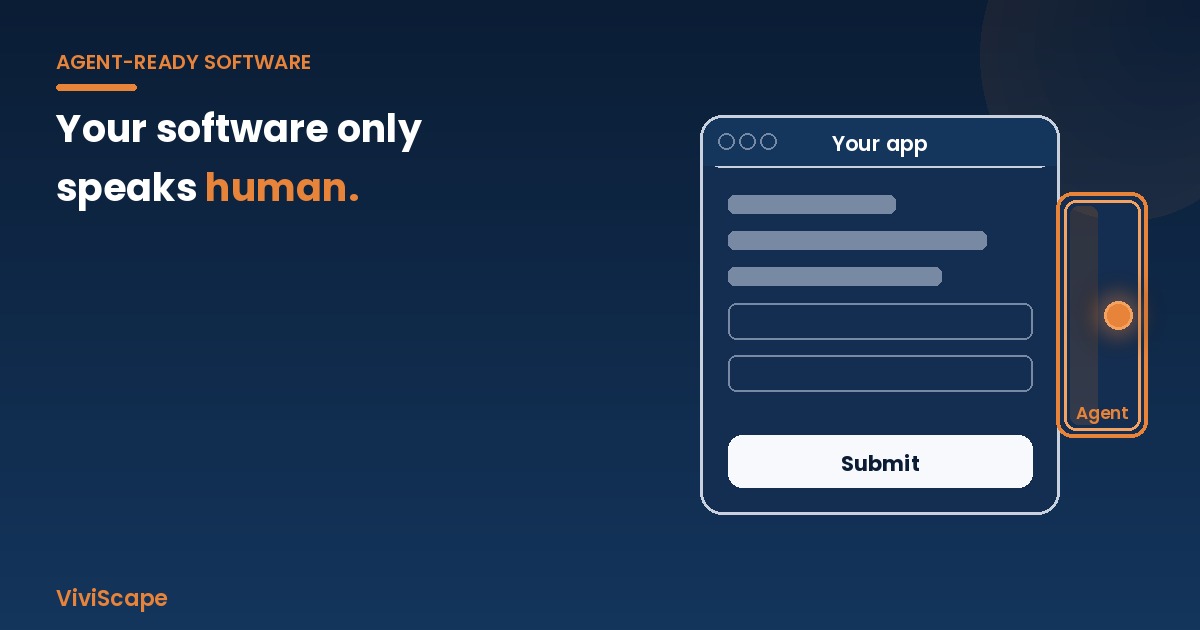
Software is agent-ready when an AI agent can read it, write to it, and hand an exception to a named person, under its own identity, with every action logged. Most business applications can't do that yet. They were built for a person at a screen. In Postman's 2025 State of the API survey of more than 5,700 developers and leaders, only 24% said they design APIs with AI agents in mind. Meanwhile, 84% of B2B software buyers told G2 in October 2026 that agent capabilities will influence their 2027 software choices. Software that only speaks human is about to become the next source of manual work. We build custom software to be run by agents for exactly this reason.
Key facts
| Fact | Figure | Source |
|---|---|---|
| B2B software buyers who say agent capabilities will influence 2027 software choices | 84% (34% call it a primary deciding factor) | G2 2026 AI Agents Report, Oct 14, 2026 (1,019 B2B decision-makers, surveyed July 2026) |
| Buyers who say a strong ecosystem of connectors, actions or skills is very important or a must-have for agent adoption | 72% | G2, Oct 14, 2026 |
| Buyers who think per-seat pricing is the fairest model for AI agents | 9% | G2, Oct 14, 2026 |
| Developers who design APIs with AI agents in mind | 24% (60% still design mainly for humans; 16% haven't considered agents) | Postman 2025 State of the API Report (5,700+ respondents) |
| Developers who name unauthorized or excessive agent calls as a top security concern | 51% | Postman 2025 State of the API Report |
| Enterprise apps forecast to include task-specific AI agents by the end of 2026 | 40%, up from under 5% in 2025 (forecast) | Gartner, Aug 26, 2025 |
| Servers listed in the official MCP Registry | 65,125 on Nov 16, 2026 | Gravity MCP adoption census (third-party count of the official registry) |
Frequently asked questions
What is agent-ready software?
Agent-ready software is an application that an AI agent can operate safely: every action is available through a documented API, the agent signs in with its own scoped identity, high-risk actions route to a named human for approval, and every action is logged with who took it.
Can AI agents use my custom software?
Only if it was built with a way in for them. Agents can sometimes drive a screen, but that breaks when the interface changes and hides who did what. A documented API, plus an agent surface such as an MCP server, is the reliable path.
Does my business application need an MCP server?
If you want AI assistants to work in it, increasingly yes. MCP is an open standard for exposing an application's actions to AI agents. It should sit on top of a solid API with scoped permissions and logging, not replace them.
How do you give an AI agent safe access to an application?
Give the agent its own least-privilege credential, scope it to the records and actions the job needs, require approval for payments, deletions and customer-facing writes, log every action under the agent's identity, and make access revocable.
Is it cheaper to make existing software agent-ready or to replace it?
Usually cheaper to make it ready. Wrap the existing logic in a documented API for the one process you want an agent to run, add the agent surface on top, and expand from there. Replacement makes sense only when the core system can't support an API at all.
Does agent-ready software change build vs. buy?
Yes. It adds a requirement to every decision: can an agent operate this under its own identity? When you buy, ask the vendor. When you build, require it from day one.
Who is the user of your software now?
For thirty years the answer was simple: a person. Someone logs in, reads a screen, clicks a button, types into a field. Every design decision followed from that.
That assumption is breaking. Gartner forecast in August 2025 that 40% of enterprise applications would include task-specific AI agents by the end of 2026, up from less than 5% the year before. G2's October 2026 buyer survey found that 66% of companies buying agents already run them in limited or full production. And 56% of agent buyers expect agents to orchestrate work across their software stack by 2030.
So your applications now have a second kind of user. It doesn't look at screens. It reads contracts, calls actions, and needs to know exactly what it's allowed to touch. If your software can't talk to it, a person ends up doing the translation: copying from the screen the agent can't read, pasting into the field the agent can't reach. That's the Manual Work Tax, rebuilt one layer up.
Why can't AI agents just use the screen?
Some can, sort of. Agents that drive a browser or click through a desktop app exist, and they're useful for a one-off. But a screen is a terrible contract for routine work.
- Screens change. A redesign or a renamed button breaks the agent. An API version doesn't change underneath you.
- Screens hide meaning. A person knows that the red number means "overdue." An agent needs a field called
statuswith a defined set of values. - Screens have no identity for the agent. When an agent clicks through as a human user, your logs say that human did it. You lose the ability to tell who did what, and you can't limit the agent to less than that person can do.
- Screens don't fail politely. A typed error ("customer not found," "approval required") lets an agent stop and escalate. A spinning page or a pop-up leaves it guessing.
Gartner made the same point bluntly in June 2025: integrating agents into legacy systems "can be technically complex," and rethinking workflows is often the better path. The same release predicted that over 40% of agentic AI projects will be canceled by the end of 2027. Bolting an agent onto software that was never meant to be operated is one way to land in that 40%.
What does "agent-ready" actually mean?
Here's the working definition we use. An application is agent-ready when it has all six of these:
- Every action has an API, not just the reports. If a person can create, update, approve or close a record, a program can too, with the same business rules. Read-only exports don't count.
- A machine-readable contract. A published specification (OpenAPI, for most web apps) that names every field and value, plus typed error responses an agent can act on. Postman found contract testing at just 17% of teams, and that's the practice that keeps agents from breaking when the software changes.
- An identity for the agent. The agent signs in as itself, with a least-privilege credential scoped to the job, and that access can be revoked like an employee's.
- An exception path to a named human. High-risk writes such as payments, refunds, deletions and anything customer-facing pause for approval. The agent knows how to raise its hand instead of guessing.
- An audit trail that tells humans and agents apart. Every read, write and approval is logged with who did it, when, and why.
- An agent surface. For AI assistants, that increasingly means a Model Context Protocol (MCP) server that exposes the app's actions as tools. For scripts and scheduled jobs, a command-line interface. Both sit on the same API and the same permissions.
None of this is exotic. It's good engineering that most business software skipped because no one was asking. Now buyers are asking. G2 found that 72% of agent buyers consider a strong ecosystem of connectors and actions very important or a must-have.
Is MCP a fad, or should my software have one?
MCP is the clearest sign that agents need their own front door. It's an open standard for connecting AI assistants to tools and data, and it's now governed by the Linux Foundation's Agentic AI Foundation, with engineers from Google, Anthropic, OpenAI and others co-maintaining related standards under vendor-neutral governance, according to the Google Open Source Blog (Nov 11, 2026). A third-party census counted 65,125 servers in the official MCP Registry on November 16, 2026.
Two cautions. First, MCP isn't a replacement for an API. It's a layer on top of one, and an MCP server built on a weak API inherits every weakness. Second, more doors means more risk. Postman's survey found 51% of developers already worry about unauthorized or excessive agent calls, and 46% worry about over-scoped keys. An agent surface without scoped identity and logging is a liability, not a feature. (For the technical differences, see our earlier piece on APIs, MCPs and CLIs.)
What does this change about build vs. buy?
It adds a new question to every software decision: can an agent operate this, safely, under its own identity?
For software you buy, that's a question for the vendor, and the answers vary widely. For software you build, it's a design requirement you can set on day one. That's the part most "build vs. buy" math still misses. An application that only a person can operate keeps a person on the payroll to operate it. An application that an agent can run, with a human approving the exceptions, takes that work off the payroll.
It also changes how software gets priced. G2 found just 9% of buyers think per-seat pricing is fair for agents, and pay-as-you-go models rose from 38% to 57% of preferences in a year. When the "user" is an agent, counting logins stops making sense. That's why we say our custom software is priced against the work removed, not the number of logins.
The honest answer is still that most businesses shouldn't build first. Usually the work you want gone lives between systems you already own, and connecting those systems is faster and cheaper than a new application. Custom software is for the gap no vendor ships. But when you do build, building it for humans only is a choice you'll pay to undo. Our build vs. buy tool can help you frame the decision.
How do you make existing software agent-ready?
You rarely need to start over. A practical order:
- Pick one process, not the whole app. Choose a repetitive job an agent could own, like order intake or invoice matching. Price the manual time first with the free Manual Work Tax calculator.
- List the actions that process needs. Usually a handful of reads and two or three writes. That's your first API scope.
- Wrap, don't rewrite. Put a documented, versioned API in front of the existing logic, then add the agent surface (MCP or CLI) on top of it.
- Give the agent its own identity and the smallest permissions that work. Log everything under that identity.
- Route exceptions to a person. Decide which actions always need approval, and who approves them.
- Measure, then widen. Compare cycle time and error rate against the manual baseline before you hand over the next process.
What ViviScape builds, and where ViviScape Work fits
Our custom software page has one headline for a reason: Custom Software, Built to Be Run by Agents. Every application we build ships with the hooks an agent needs to read it, write to it, and escalate an exception to a named human in ViviScape Work.
Work itself is built the same way. It has a REST API, a hosted MCP server and an installable viviscape-mcp package, and a CLI, and all three use the same identity, the same permissions and the same activity log (Work developer docs). An agent can sign in as itself with its own permissions, and every action it takes lands in the activity log under that identity. Agents get scoped credentials and the same kind of access grant an employee does, and they lose it the same way.
That's the standard we'd hold any application to, whether we built it or not.
What should SMB and enterprise leaders do this quarter?
- Inventory your top five applications by hours spent in them. For each, answer the six agent-ready questions above.
- Ask your vendors directly: can an agent sign in as itself? Is every action available through an API? Are agent actions logged separately? Can I require approval on specific writes?
- For anything you're about to build or rebuild, make agent-readiness a requirement in the scope, not a phase two.
- Start with one process where an agent can take real work off a person's plate, and measure it.
Want a second set of eyes?
We'll look at where your people are moving information by hand, which of it an existing agent can absorb, and what genuinely needs something built.
Schedule a free Manual Work Tax Audit Calculate my Manual Work TaxSources
- G2, "New G2 Research: AI Agents Have Moved From Pilot to Production, But Oversight Comes at a Cost," Oct 14, 2026: https://www.prnewswire.com/news-releases/new-g2-research-ai-agents-have-moved-from-pilot-to-production-but-oversight-comes-at-a-cost-302908654.html
- Postman, 2025 State of the API Report: https://www.postman.com/state-of-api/2025/ (summary with figures: DEVOPSdigest, Nov 17, 2025: https://devopsdigest.com/state-of-the-api-2025-api-strategy-is-becoming-ai-strategy)
- Gartner, "Gartner Predicts 40% of Enterprise Apps Will Feature Task-Specific AI Agents by 2026," Aug 26, 2025: https://www.gartner.com/en/newsroom/press-releases/2025-08-26-gartner-predicts-40-percent-of-enterprise-apps-will-feature-task-specific-ai-agents-by-2026-up-from-less-than-5-percent-in-2025
- Gartner, "Gartner Predicts Over 40% of Agentic AI Projects Will Be Canceled by End of 2027," Jun 25, 2025: https://www.gartner.com/en/newsroom/press-releases/2025-06-25-gartner-predicts-over-40-percent-of-agentic-ai-projects-will-be-canceled-by-end-of-2027
- Google Open Source Blog, "Scaling AI agents with open standards," Nov 11, 2026: https://opensource.googleblog.com/2026/11/scaling-ai-agents-open-standards-mcp-aaif.html
- Gravity, "MCP and A2A adoption census," updated Nov 16, 2026: https://gravity.fast/data/mcp-adoption-statistics/
- ViviScape, Custom Software (read Nov 16, 2026): https://viviscape.com/custom-software-development
- ViviScape Work developer docs (read Nov 16, 2026): https://work.viviscape.com/developers